
Pricing conversations are where trust is often built or lost. For many small businesses, especially those with project-based or variable pricing, the hardest part isn’t doing the work. It’s getting everyone aligned on what the work includes, what it costs, and when payment should happen.
Too often, work starts with a handshake, a few emails, or a verbal agreement, only to lead to confusion when the invoice arrives. Invoices are essential, but they aren’t always enough. They ask for payment after the fact, which can leave room for questions or disputes, and unnecessary delays in you getting paid.
That’s why we built estimates. Bluevine estimates give you a clear, professional way to outline scope and pricing, get customer approval, and move confidently from agreement to invoice.
In your Bluevine dashboard, estimates work seamlessly with invoicing and Tap to Pay, strengthening your entire sales-to-cash flow—so you can focus on doing the work instead of having to explain it and chase payments afterward.
What you need to know
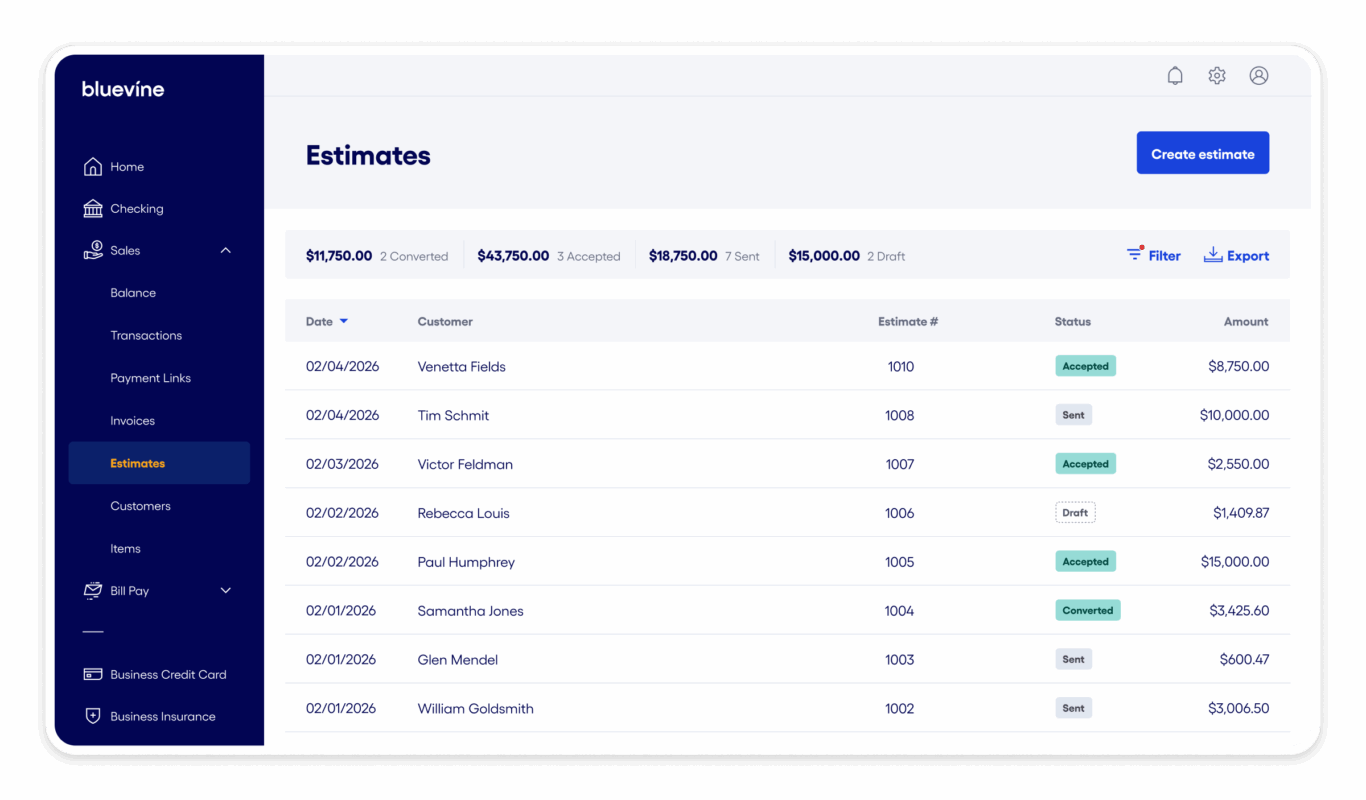
- You can now share flexible and professional itemized estimates with clients before starting work, right from the Sales tab in your Bluevine dashboard.
- By aligning on scope and pricing ahead of time, you can confidently complete projects and collect payments.
- If the scope changes later, you can easily tweak your invoices as needed.

What is an estimate, and how is it different from an invoice?
An estimate outlines the expected scope of work and pricing. It sets expectations upfront so you and your customer are aligned before any work begins.
Think of estimates and invoices like this:
- An estimate is a proposal that requires customer approval. It explains what you’ll deliver and how much it’ll cost.
- An invoice is a request for payment. It comes after the work is complete or when a milestone is reached.
Estimates are especially useful when your pricing isn’t fixed. If your work varies by project, phase, or client needs, an estimate gives your customer clarity before they commit. Once the estimate is approved, you can confidently move forward knowing you’re aligned on both scope and price.
The problems estimates help solve for small businesses
Confusion over pricing erodes trust
When customers don’t fully understand what they’re being charged for, even fair pricing can feel surprising. That uncertainty can lead to hesitation, questions, or pushback when it comes time for payment.
The solution
Estimates solve this by laying out scope and pricing in advance. Itemized services, notes, and attachments give customers a clear view of what a project entails, which builds confidence and trust before work starts.
Work starts without clear approval
Many small businesses begin work based on informal agreements, which can be risky. If expectations change or memories differ, you’re left negotiating again after the work is done.
The solution
With estimates, approval is captured upfront. Customers can accept or decline the estimate, creating a clear record that both sides agreed on the scope and price before you started.
Redundant work slows you down
Recreating invoices from outdated estimates or email threads takes time and can lead to mistakes. If you copy the details manually, you can open yourself up to errors like mismatched amounts or missing line items.
The solution
Bluevine estimates help remove that friction. Once an estimate is approved by your customer, you can convert it into an invoice with one click. The details carry over automatically, saving time and reducing errors. For in-person work, you can also initiate a Tap to Pay transaction for the agreed amount directly from the Bluevine app.BVSUP-00192
Too many tools create mistakes
Switching between separate tools for estimating, invoicing, and accepting payments can break your workflow. Information gets lost, versions don’t match, and follow-ups fall through the cracks.
The solution
With Bluevine, estimates live in the same system as your invoicing and incoming payments. All your sales tools stay connected, from the first estimate to the final payment.
How estimates work in Bluevine
Bluevine estimates are designed to be simple and flexible, without overcomplicating your workflow.
1. Create and customize an estimate
You can create an estimate directly from your Sales dashboard. Each estimate includes everything you need to set expectations clearly, including:
- Customer and project details
- Expiration date
- Notes for context or terms
- Itemized services or products
- Service charges or discounts (if applicable)
- Attachments like contracts or supporting documents
- Automatic reminders
- Custom fields (for Plus and Premier plans)
The result is a professional estimate that reflects your business and the work you’re proposing.
2. Share it however your customer prefers
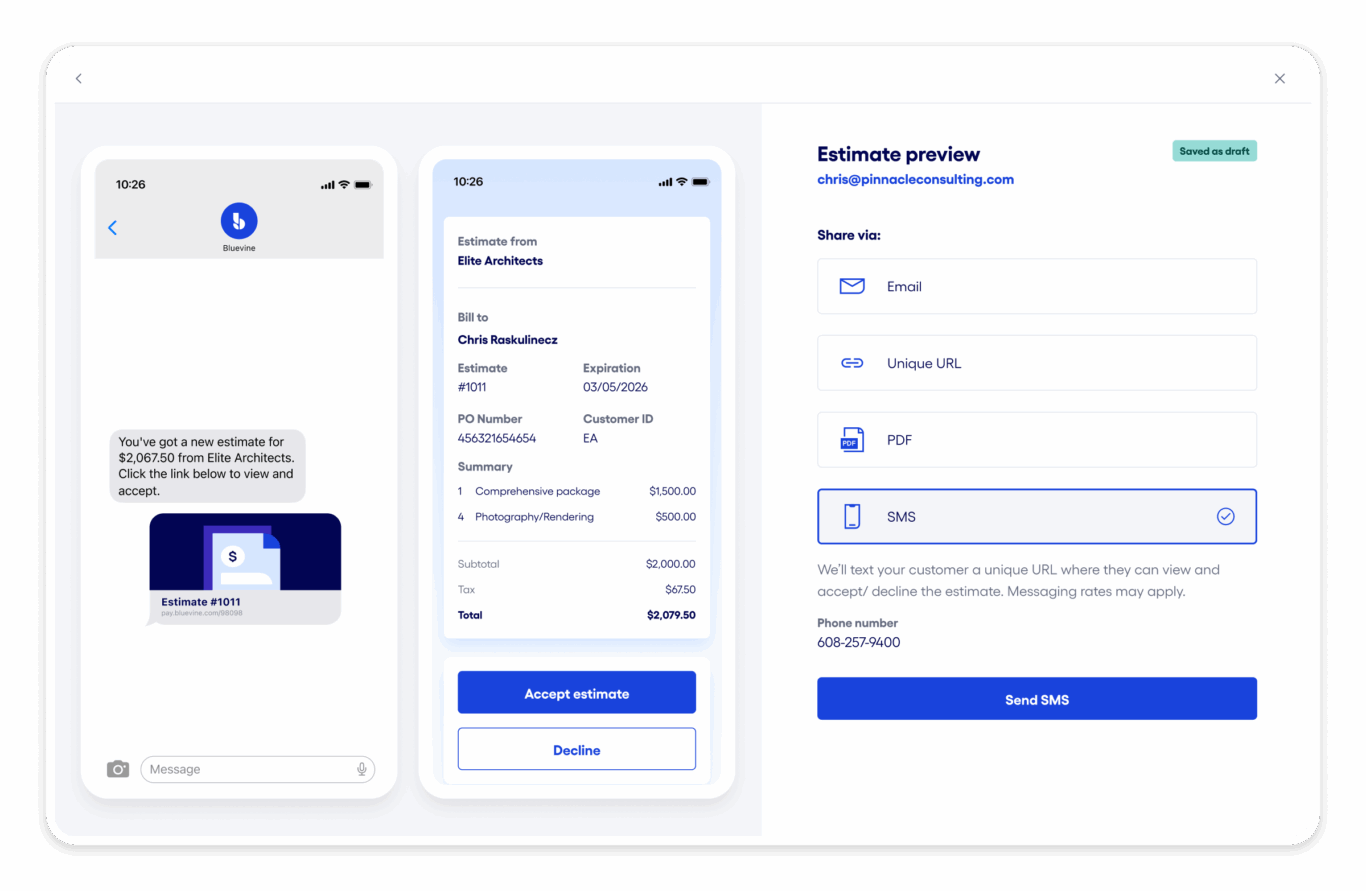
Once your estimate is ready, you can send it in the way that works best for your customer:
- SMS
- Shareable link
Customers can review your estimate easily, without needing to create an account or navigate a complicated system.
3. Get approval before work begins
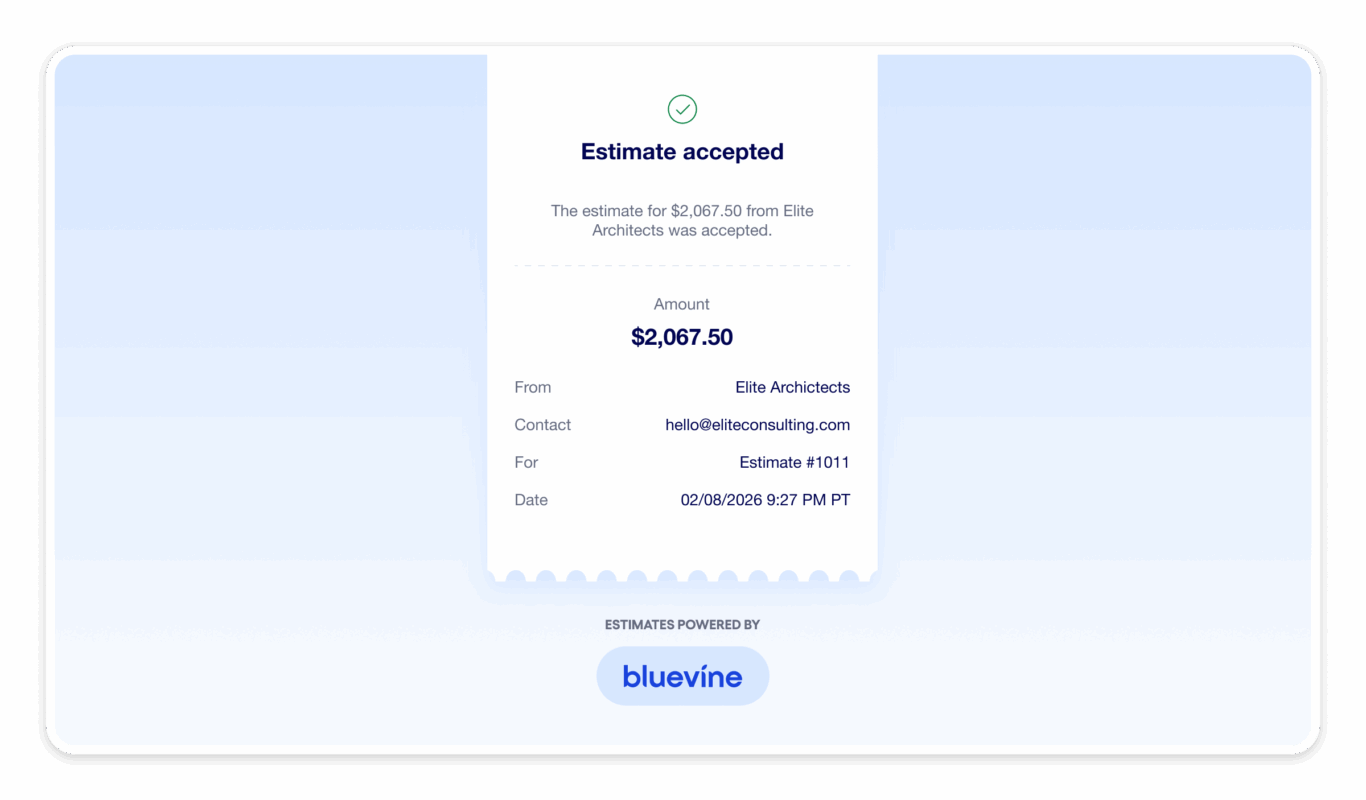
Your customer can accept or decline the estimate directly. If they have questions or request changes, you can resend an updated estimate until everyone is aligned.
This approval step creates clarity and trust before any work starts.
4. Turn approval into payment, fast
After a customer approves your estimate, you can convert it into an invoice with one click—no need to re-enter details or rebuild line items.
For in-person work, you also have the option to accept payment on the spot using Tap to Pay.BVSUP-00192
Who should use estimates?
Estimates are built for businesses where pricing isn’t one-size-fits-all, including:
- Professional services: consultants, marketing teams, IT providers
- Contractors and construction businesses
- Agencies billing by project or milestone
- Any business with variable pricing or custom work
If your work changes based on scope, timeline, or client needs, estimates help you set clear expectations from the start.
How estimates fit into the Bluevine platform
Estimates work best when they’re part of a connected workflow.
With Bluevine, your estimates, invoices, and payments all live in one place. You can use estimates to align on pricing, invoice confidently once work is approved, and get paid faster without switching tools.
For example, a contractor can send an estimate, complete the work, and accept payment on-site with Tap to Pay. If the project has multiple milestones—i.e., three installments that are due upfront, at 50% completion, and at project’s end—the contractor can turn the approved estimate into three separate invoices.BVSUP-00192
Either way, the entire process stays connected, from proposal to payment.

Did you know?
Estimates are now available for all Bluevine Business Checking customers.
If you have our Plus and Premier plan, you also have access to advanced features like custom fields on estimates and invoices, which give you even more flexibility to match your workflow, as well as more auto-reminder options.
Get started with estimates
If you’re already a Bluevine customer, you can start using estimates today in your dashboard. Try sending an estimate on your next project and see how much smoother the process feels.
If you’re new to Bluevine, you can open a business checking account to get started and simplify how you share pricing, align with customers, and get paid.
Want to use estimates to align on pricing?
Estimates FAQs
What is an estimate?
An estimate is a way to show your customer what the work will cost before you start. It lays out the scope and price up front so everyone’s on the same page. There should be no surprises when your customer receives a bill for the work.
Why should I send an estimate instead of just an invoice?
Invoices request payment after work is done. Estimates set expectations before work starts, reducing pricing confusion, disputes, and delays when it’s time to invoice and get paid.
What happens when a customer accepts an estimate?
Once your customer accepts an estimate, you’re good to go. You can turn the estimate into an invoice with one click, without re-entering details or rebuilding line items—or accept payment with Tap to Pay if you’re providing in-person service.
Can customers decline or request changes to an estimate?
Yes, customers can accept or decline an estimate. If they decline, you can resend an updated estimate until you’re aligned on scope and pricing. You also have the ability to manually accept or decline an estimate on your customer’s behalf if you’ve aligned on scope and pricing elsewhere.
How do I get paid after an estimate is approved?
After approval, you can convert the estimate into an invoice and collect payment like you normally would. For in-person work, you can also accept payment on the spot using Tap to Pay.BVSUP-00192


