Estimates for every project.
Create clear, professional estimates to get
customer approval before work starts—
then easily convert them into invoices.
Manage projects from estimate to payout, all in your checking account.
Align on every
project detailGet approval on scope before you
start work by sharing estimates
with all the details upfront—building customer trust from the get-go.Instantly convert
estimates into invoicesOnce approved, save time by
converting the estimate into an
invoice with just one click, without re-entering details or switching
tools—so you can get paid faster.Track all your payments
in one placeManage estimates, invoices, and
incoming payments all in your
checking account, so you don't miss
a single payout juggling multiple tools.


Professional estimates
with the details upfront.
Convert estimates to
invoices with a click.
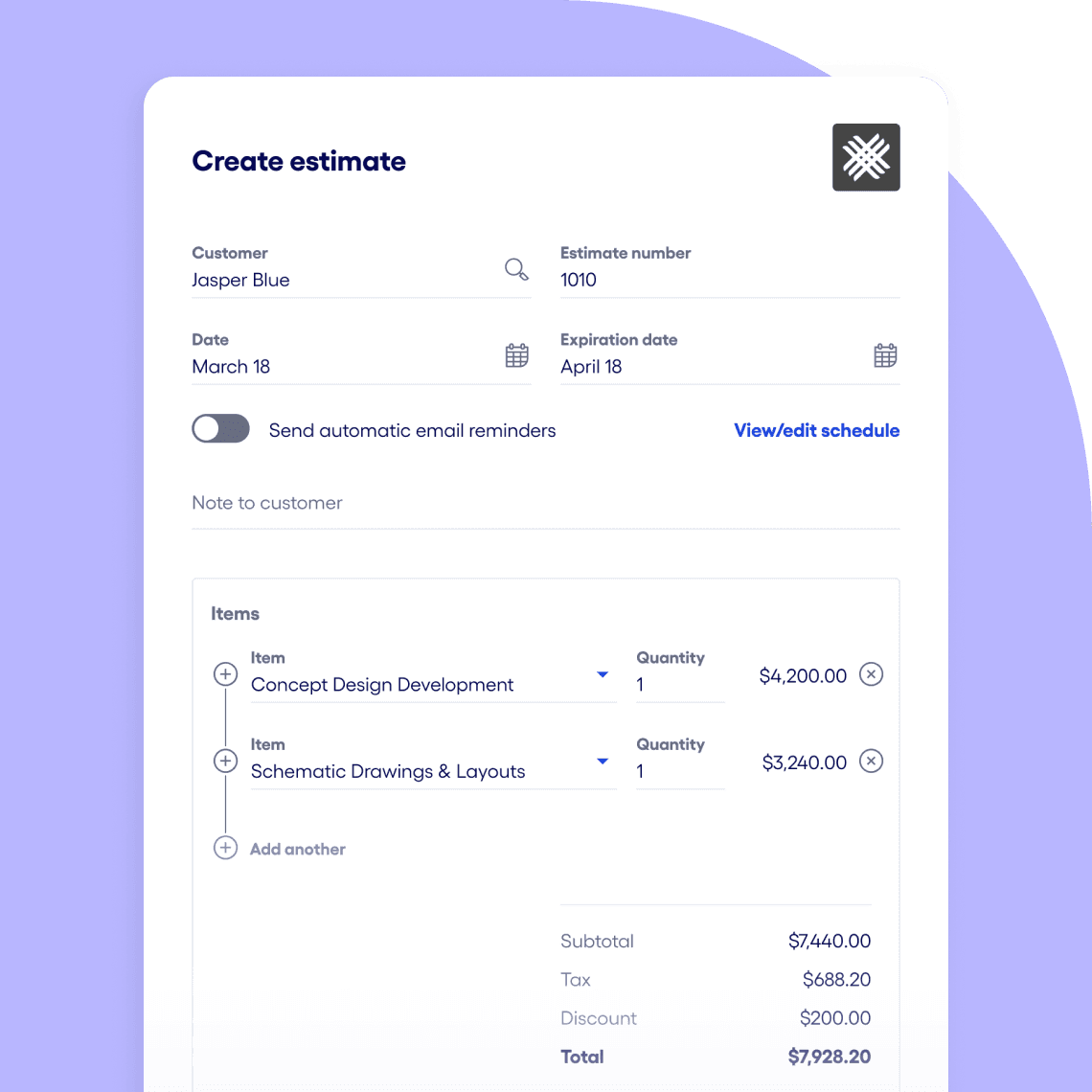
Create an estimate by adding your customer details and products or services, with the option to apply service charges and discounts. Then set up automatic reminders to help keep things moving. Plus and Premier customers can also add custom fields.
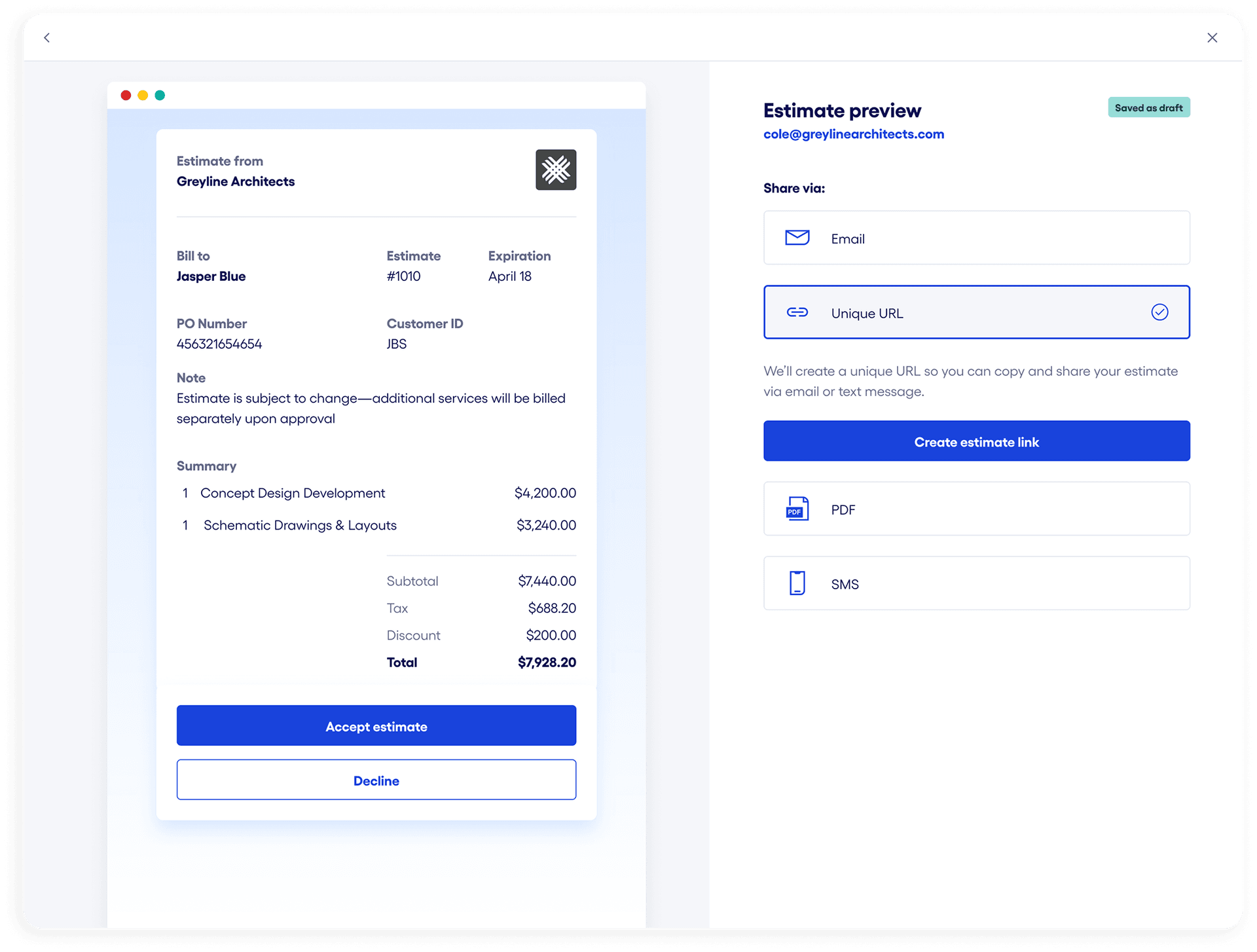
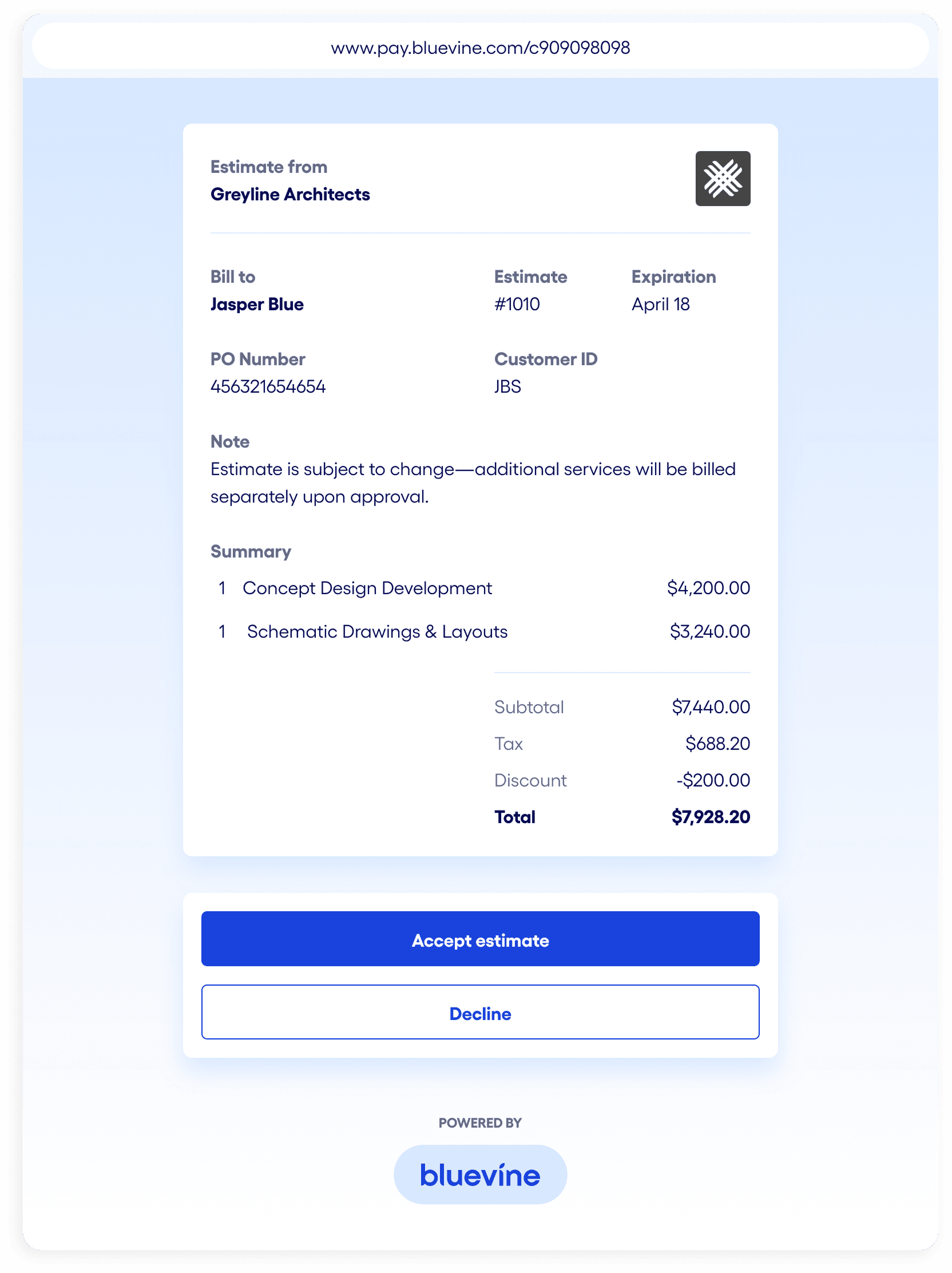
Send the estimate to your customer via email, link, PDF, or SMS and get their approval before work begins.
Approval reduces friction and saves you time you might have spent explaining costs or chasing payments.
Once approved, instantly convert the estimate into an invoice in just a click—no data re-entry or switching tools required.
Send the invoice to your customer for payment. You can connect your Stripe account or create a new one to add credit and debit card, digital wallet, or ACH direct debit payment options to your invoice.BVSUP-00180
Meeting your customer in person for the job? Easily accept in-person payments with just your phone using Tap to Pay—no card terminal required.
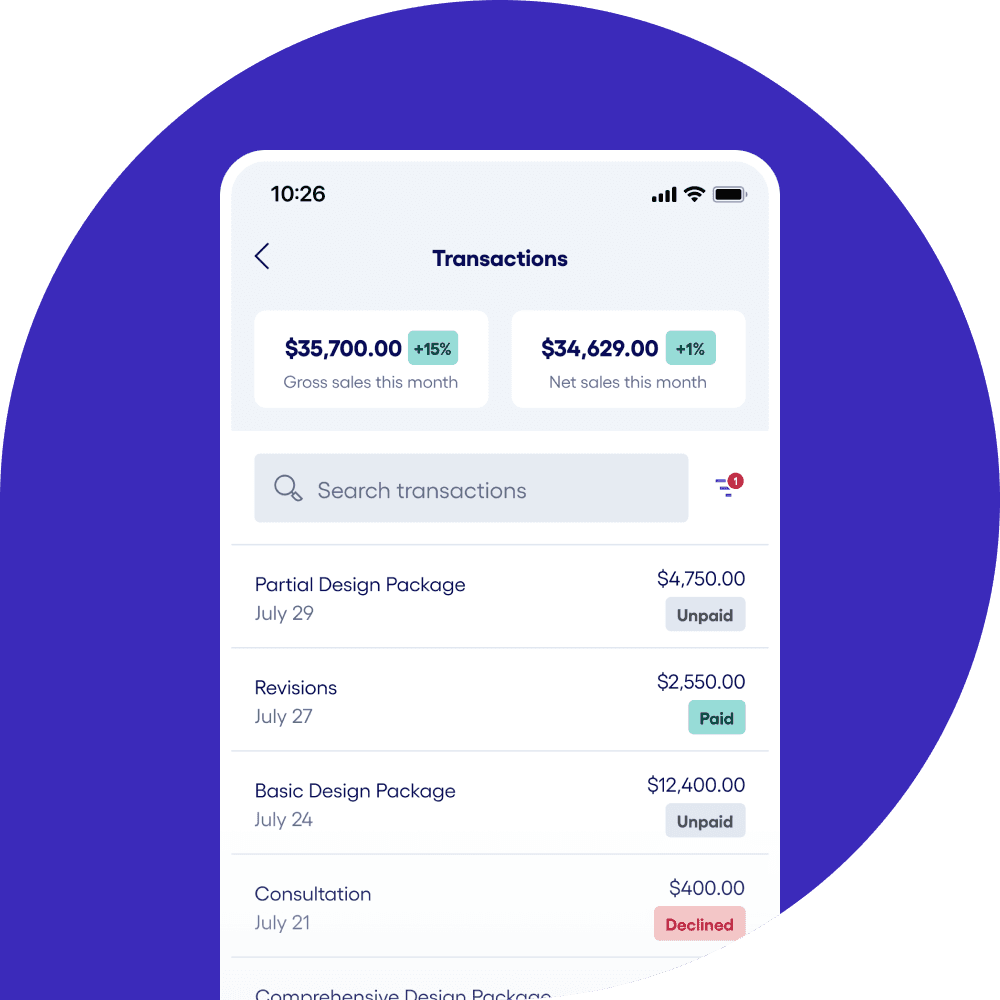
Track every payment in your Bluevine account.
Estimates are just the start of your payment journey. Manage estimates and invoices, track incoming payments, and see payouts as they hit your account—all in your Bluevine dashboard.
Once your payout hits your main account or one of your sub-accounts, you could start earning APY right away.BVSUP-00147
Start with an estimate,
then get paid your way.

Professional invoices
Create and send professional invoices in minutes, and let customers pay by card, ACH, or digital wallet.
Explore invoicing
Simple, secure payment links
Send secure payment links by email or text to accept card, ACH, or digital wallet payments online.
Explore payment links
In-person payments
Use Tap to Pay to take contactless payments right from your phone—no extra hardware required.
Explore Tap to PayInterested in learning more?
Email our team to get started with invoicing, payment links, and Tap to Pay with Bluevine.
Bluevine estimates FAQs.
Estimates are a way to propose or define a project's scope and pricing for your customer before you start work. You can send an estimate to your customer to get approval on charges and services, which helps build trust and avoids surprises when it's time to get paid.
Yes, you can convert an estimate into an invoice with a single click in your Bluevine account. This makes it easy to move from customer approval to getting paid without re-entering details. Connecting a Stripe account to Bluevine allows your customers to pay your invoices online with a click.
Yes, you can send unlimited estimates and invoices for free with Bluevine. To accept card, digital wallet, or ACH direct debit payments, you'll need to connect or sign up for a Stripe account.BVSUP-00180 To accept in-person payments, you can enable Tap to Pay in minutes using the Bluevine mobile app.
You only pay processing fees when you accept payments with Stripe:
| Cards and wallets (online) | 2.9% + $0.60 |
| Cards and wallets (in person) | 2.7% + $0.30 |
| ACH direct debit | 1% |
Yes, you can use estimates to align on pricing ahead of time. Once the estimate is approved and the work is complete, you can create a transaction for the total amount and accept payment in person using Tap to Pay right from the Bluevine mobile app—no additional hardware required.BVSUP-00180
Get started with Bluevine's estimates feature in just a few steps:
- Open a Bluevine Business Checking account—or sign in if you're already a checking customer.
- Navigate to Sales and then click Estimates
- Create an estimate and add your customer, service items, and any additional charges, discounts, or attachments. You can also set auto-reminders.
- Share the estimate via email, link, PDF, or SMS
- Make any needed changes and once approved, convert to an invoice with a click to get paid quickly and easily
Get started with
estimates today.
Open a business checking account in minutes to start creating estimates.